 KayaSpend
Pay. It’s logged.
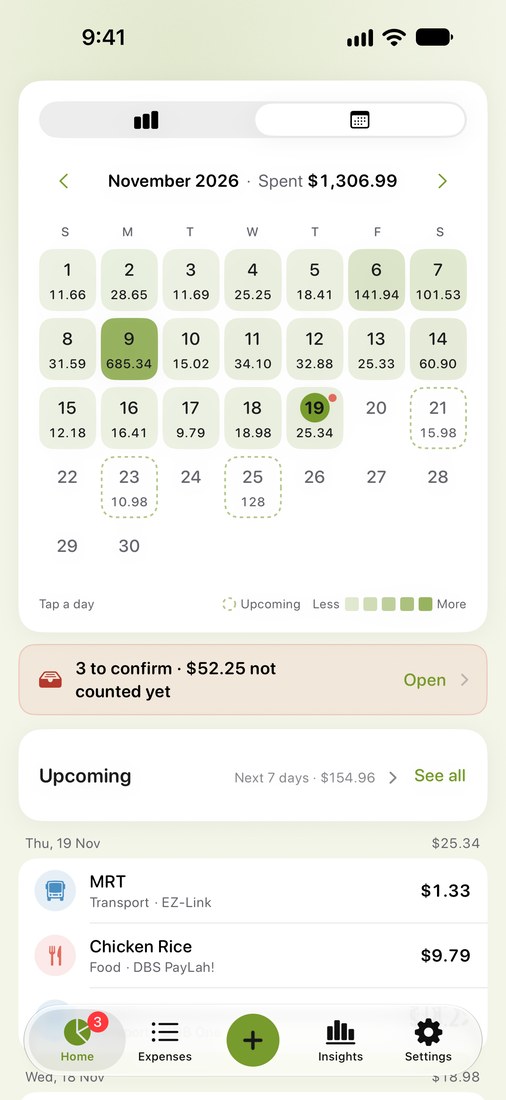
Bank, Grab and Apple Pay payments log themselves from their notifications. You confirm them in a tap. No bank login, no account, no ads.
Coming soon to the App StoreFree. For iPhone with iOS 27 or later. Made in Singapore.
- No bank login
- No account
- No ads
- No typing for most payments
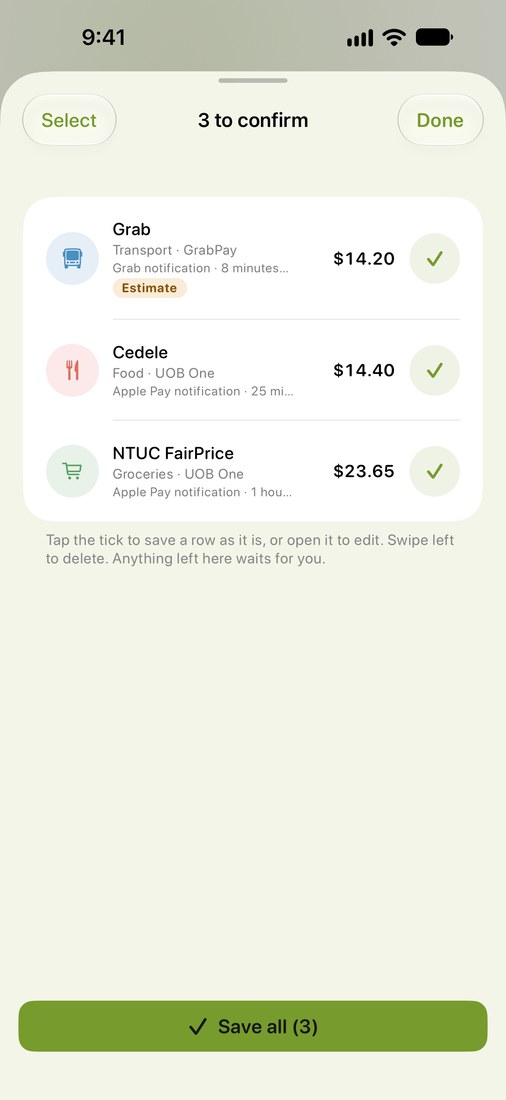
Pay. It lands in To confirm.
Set it up once for each app, and payments arrive on their own from Apple Pay (Wallet), Grab, UOB TMRW alerts and DBS PayLah! alert emails. You check each one before it counts.
Needs a Shortcuts automation and that app’s notifications turned on. Cash and some payments still need you.
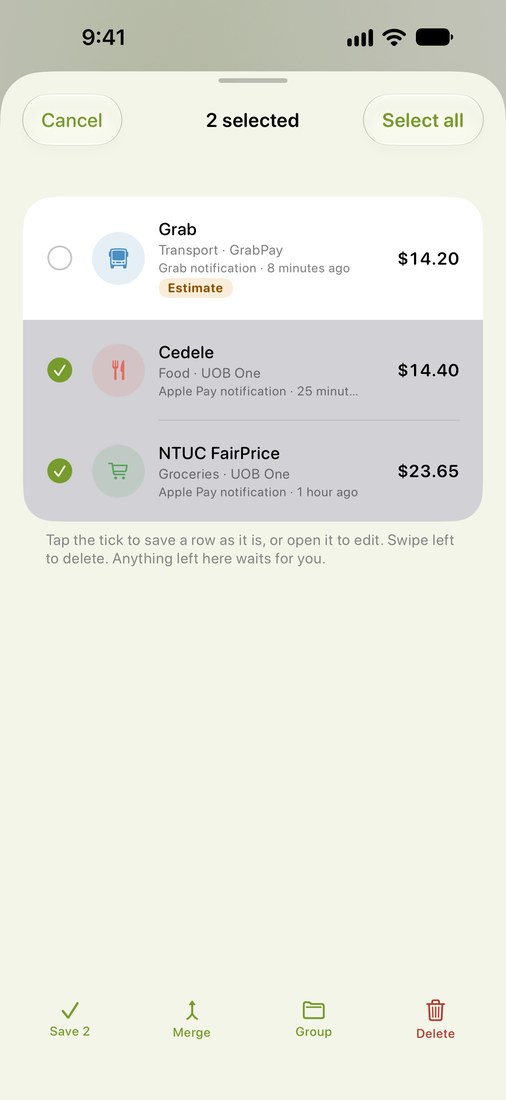
Tick one. Or a few at once.
Select several payments and save, merge, group or delete them together, with Undo. A ride still on hold comes in as an estimate, and KayaSpend offers to swap in the final charge when it arrives.
Group a trip. Or a night out.
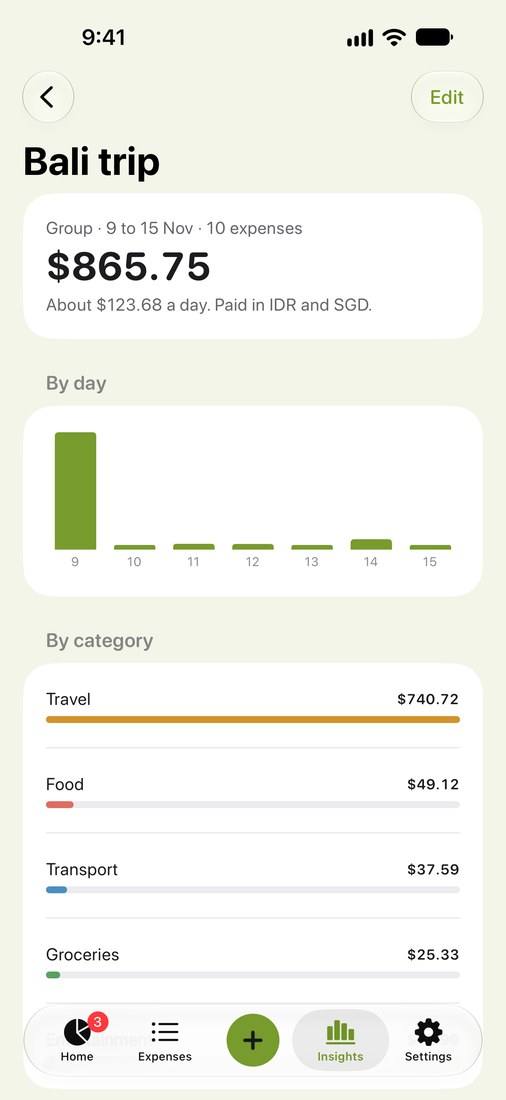
Put expenses in a group, whatever their category. A group’s page shows its dates, its total, about how much a day and the currencies you paid in.
See where it went.
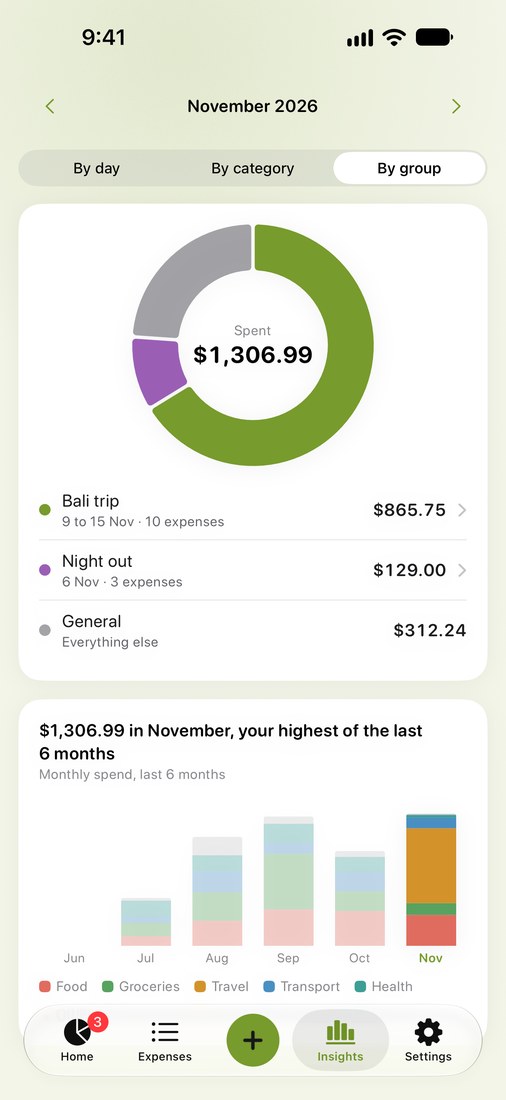
Insights by day, by category and by group, and a calendar of your month. The Expenses tab finds anything with search and filters.
Coming later
These are paused for now and come back in a later version:
- Receipt scanning with item splitting, once Apple’s cloud model is available to the app.
- Typing an expense in plain words, once Apple’s cloud model is available to the app.
- Asking questions about your spending, once Apple’s cloud model is available to the app.
Your spending lives on your iPhone. So does the AI.
There is no bank login and no account. Your expenses and settings stay on your phone. Notifications are read on your iPhone, with Apple Intelligence for the ones KayaSpend doesn’t know, and you can turn AI off any time. No tracking across apps, and your data is never sold.
Questions
Do I need to link my bank?
No. KayaSpend never asks for a bank login.
Does it catch every payment?
No app can promise that. Once set up, it catches most payments from Apple Pay, Grab, UOB TMRW and DBS PayLah! alert emails. Banks often skip alerts below about S$500 unless you lower the limit in the bank’s app. Cash and some transfers still need you to add them or share a screenshot.
Is it free?
Yes, KayaSpend is free to download and use.
Which iPhones does it run on?
Any iPhone with iOS 27 or later. It runs on iPhone Duo, but it isn't optimised for the larger screen yet.
Does it need an account?
No. Open the app and start logging.
What does the AI see?
Payment notifications KayaSpend’s own templates can’t read, and the name of a new shop so it can suggest a category. Apple Intelligence reads them on your iPhone. Nothing goes to KayaSpend’s server or to any AI company. The privacy policy has the details.
Can I turn AI off?
Yes, any time in Settings, then AI & Privacy. With AI off, notifications from the apps KayaSpend knows are still read, because they never needed it. AI needs an iPhone with Apple Intelligence (iPhone 15 Pro or later).
Where is my data stored?
On your iPhone. Expenses and settings are not synced to a KayaSpend server. Backups are files you export yourself.
How do I set up Payment auto-log?
In KayaSpend, open Settings → Payment auto-log and pick the app, such as Wallet. Each app has its own short checklist and takes about a minute. See the steps on the Support page.
What if the amount isn’t final yet?
When a notification says a payment is on hold, like a Grab ride, KayaSpend logs it as an estimate with an Estimate tag. When the final charge comes in, it offers to replace the estimate or keep both.
What else does it do?
Groups for trips and nights out, adding an expense by hand, recurring charges and subscriptions, sharing a PayNow or PayLah! screenshot from Photos, Home Screen widgets, themes in light and dark, search across every month, CSV export, and backup and restore to a file.